Notifications & alerts
MConfirm stays quiet until something worth knowing happens — then tells you where you'll see it.
Desktop notifications
The Chrome extension shows a desktop notification for every open and every link click, for example “Priya Shah opened your email — ‘Q1 proposal’”. Click it to open the email's history. Choose which you get in Settings: opens, clicks, or only the first open of each email.
Activity feed
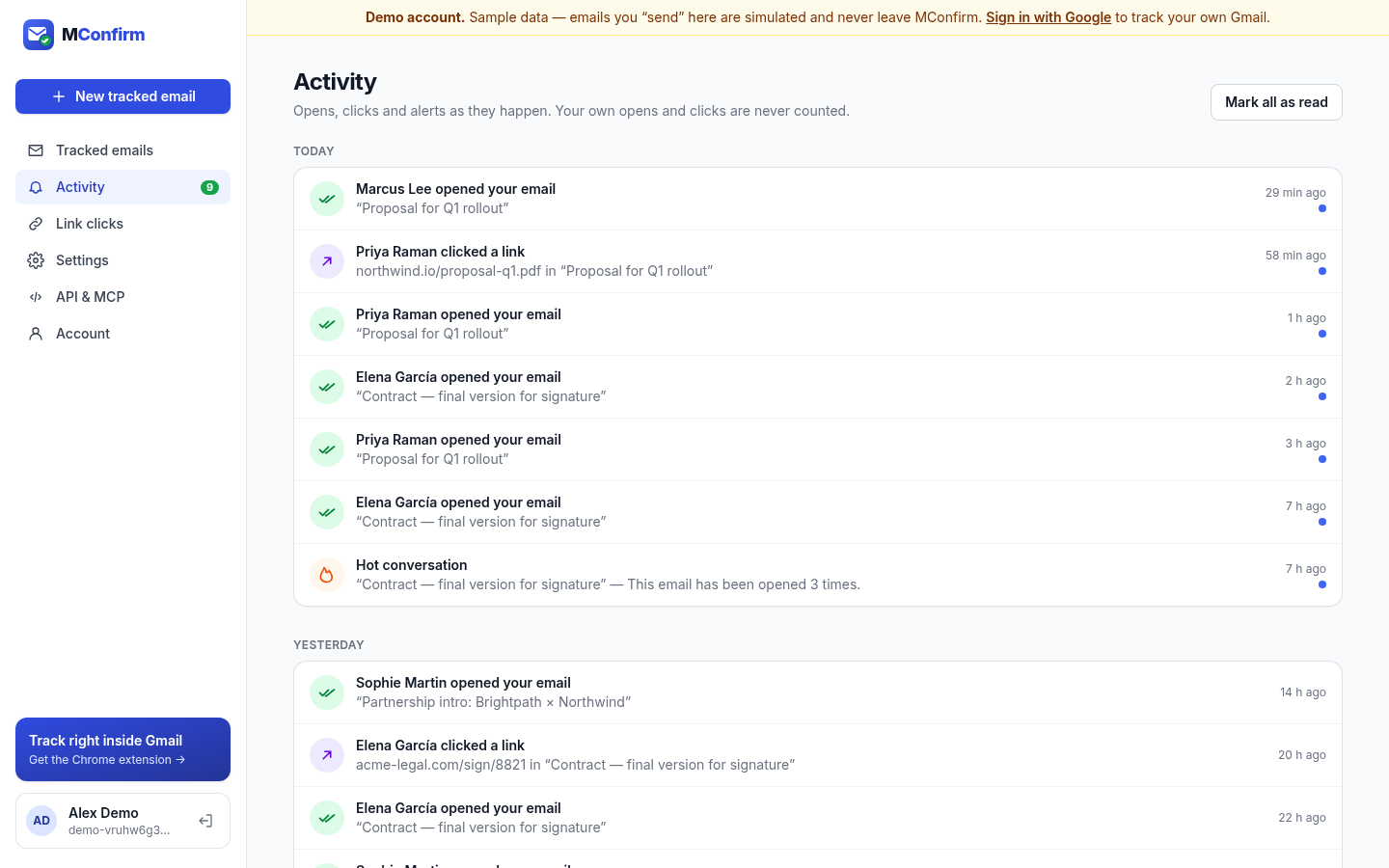
Every open, click and alert also lands in the dashboard's Activity page, newest first, with unread ones highlighted.
“Opened again after N days”
When a tracked email is opened again after a long silence — 7 days or more by default — MConfirm puts a short note into that same Gmail conversation, so it jumps back to the top of your inbox:
✓✓ MConfirm
This email was opened again after 12 days by Priya Shah.
See who opened it and when
The note is visible only to you — it is placed in your own mailbox and never sent to anyone. You get one alert per silence: if the email keeps being opened, you won't be flooded. Change the number of days, or switch it off, in Settings.
Hot conversations
When an email reaches 3 opens (adjustable), you get a “Hot conversation” notification: somebody keeps coming back to it.
Not-opened reminders
Ask MConfirm to remind you if nobody has opened an email after a number of hours — 24, 48 and 72 are popular. Set a default in Settings or choose it per email when composing in the dashboard or the API. The reminder appears in your thread and in the activity feed: “Nobody has opened this email in the 48 hours since you sent it. Time to follow up?”
Where alerts appear
| Alert | Desktop | Activity feed | In your Gmail thread |
|---|---|---|---|
| Open | ✓ | ✓ | — |
| Link click | ✓ | ✓ | — |
| Opened again after N days | ✓ | ✓ | ✓ |
| Hot conversation | ✓ | ✓ | — |
| Not opened reminder | ✓ | ✓ | ✓ |
Thread alerts can be switched off with Alerts in my Gmail threads.